
Meesho GST report import
Import Meesho GST reports into your books and GSTR-1
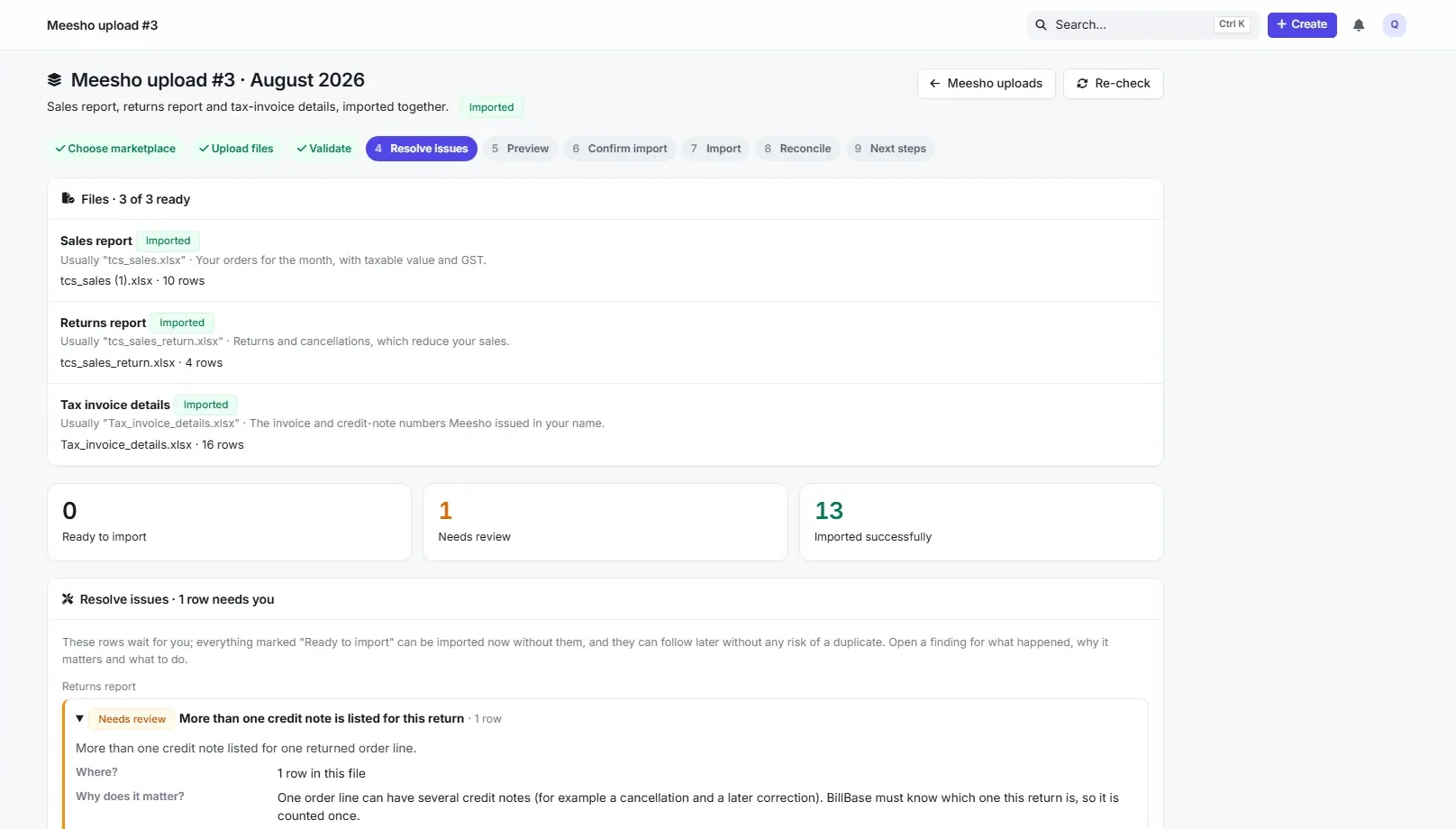
Upload the month’s three Meesho files together. BillBase checks every row, matches each sale to Meesho’s invoice number and each return to its credit note, shows you what it will record, and records each order once.
Included in: Pro
Plans from ₹450 a yearGST included in the priceWeb + Android
- What it is
- An importer for Meesho’s TCS sales report, TCS sales-return report and tax-invoice details.
- Who it is for
- Meesho suppliers who file GST themselves or with an accountant.
- What it costs
- Part of the Pro plan: ₹1,200 a year, GST included.
- Try it
- Run the sample Meesho month in the live demo.
The three files
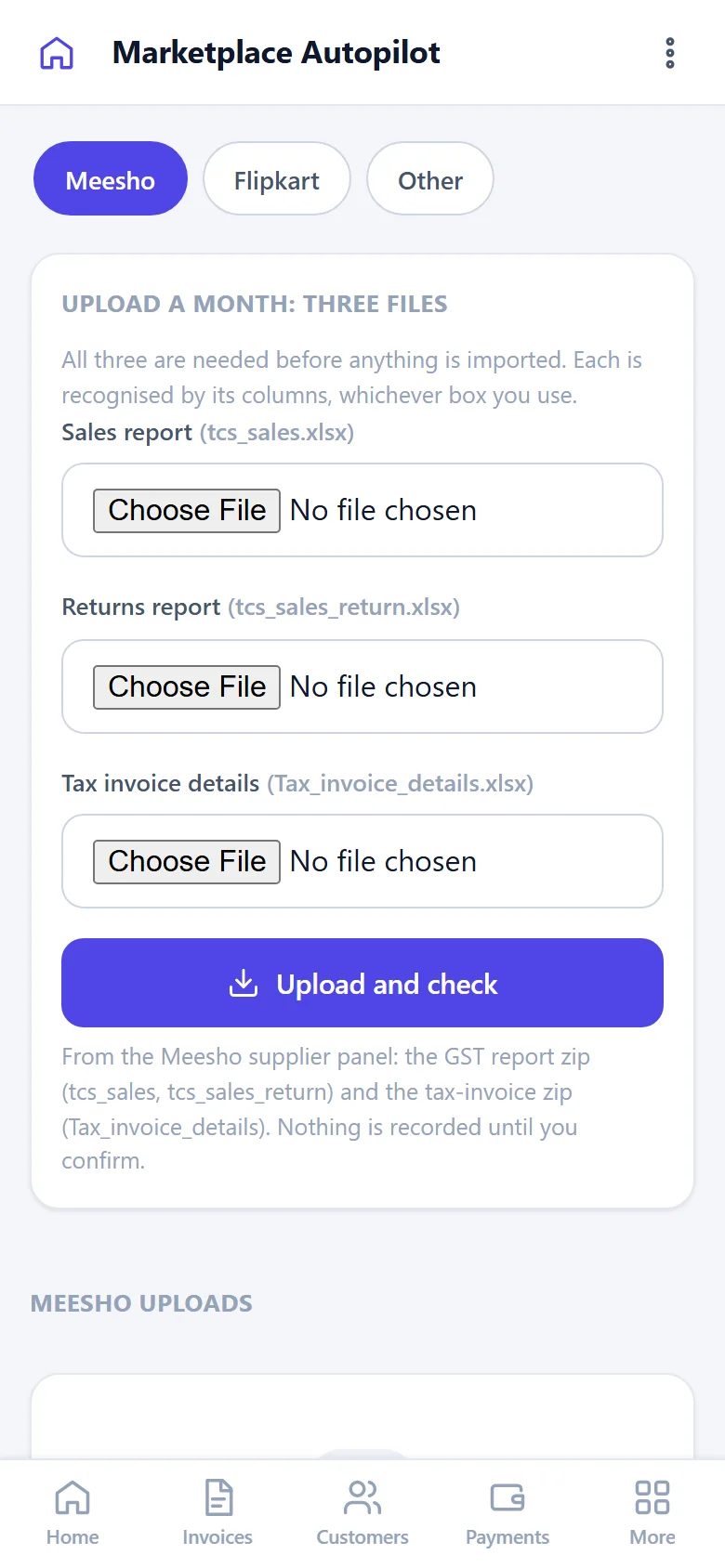
The month’s three files, together
Meesho gives each month as three files: the TCS sales report and the TCS sales-return report (both in the GST report download) and the tax-invoice details (in the tax-invoice download). Upload them together, in any order — each is recognised by its columns, not its name. Nothing is imported until all three are there and checked; a changed layout is shown to you to match, never guessed.
What happens to each row
Checked, matched, recorded once
Meesho’s own numbers
Each sale is recorded under the invoice number Meesho issued in your name, each return under its credit note — used only when exactly one fits.
Returns of earlier months
Linked to the sale whichever month it was imported; returns of pre-BillBase orders are recorded against the original invoice, a number you enter, or none — never an invented one.
Preview before recording
Dates, states, rates, the arithmetic and the seller GSTIN are checked first; the preview shows what will be recorded and what needs a decision.
GSTR-1 from the same records
Table 7 as supplies through an e-commerce operator (type E, Meesho’s GSTIN), Table 12, Table 13 for Meesho’s series and Table 14(a).
Held when unsure
Sales whose selling GSTIN does not match yours are held out of the return until you confirm them.
Reconciliation
A reconciliation on the GST page shows where every imported row went.
Straight answers
What BillBase does not do
- BillBase does not log in to Meesho; you download and upload the reports.
- Payouts, commissions, fees and TCS amounts are not imported; TCS shown in the report is never treated as tax you charged.
- It does not file your GST return. It prepares and checks the data; you or your accountant file on the GST portal.
What BillBase connects to, what is in development and what is only planned: Integrations.
Questions
Frequently asked questions
Which Meesho reports do I need?
The TCS sales report and TCS sales-return report from the GST report download, and the tax-invoice details from the tax-invoice download — for the same month.
What if I upload the same file twice?
Nothing is recorded twice. Repeated rows, overlapping ranges and repeated files are recognised; a row whose values changed waits for you.
What about returns of orders from before I used BillBase?
They are recorded as historical returns against the original invoice Meesho listed, a number you enter, or none. They reduce the month of their own return date.
Does BillBase raise an invoice for each Meesho order?
No. Meesho issues the buyer’s invoice. BillBase records the order under Meesho’s number as a read-only “via marketplace” record and never issues a second invoice, records a payment or moves stock because of it.
Keep exploring
Related
Marketplace reconciliation
Upload the reports Meesho and Flipkart give you. BillBase checks every row, records each sale and return once, and builds GSTR-1 data next to your own invoices.
Read moreFlipkart
Upload the Flipkart Seller Hub Sales Report workbook. BillBase checks every row, records each order and return once, and builds your GSTR-1 tables from them.
Read moreMeesho GST reconciliation
How a Meesho supplier reconciles a month: the three reports, matching returns to sales, Table 7 and Table 14(a), and why the order is not invoiced twice.
Read moreSee a Meesho month imported in the live demo.
Open the live demo — a private copy of a sample business, ready in seconds, yours for an hour. Or start your own account today.
Plans from ₹450 a year, GST included.